
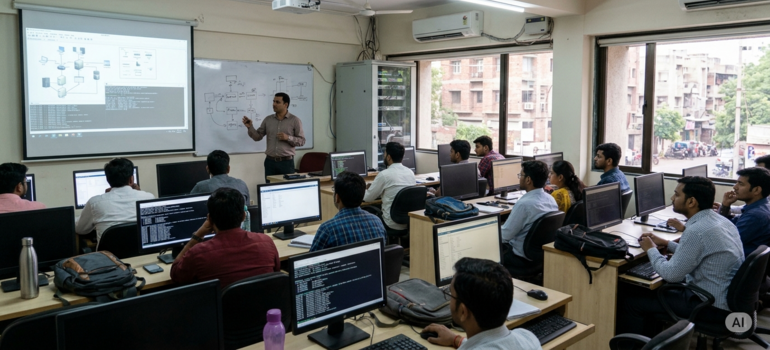
Linux Administration Management Training Ahmedabad helps learners understand practical methods for organising, monitoring, and maintaining multiple servers within an IT environment. Furthermore, managing several systems requires consistent processes rather than repeated manual commands alone. Administrators must understand each server’s purpose, access requirements, dependencies, and recovery needs. Clear records and controlled automation help teams handle these responsibilities more effectively. Discuss these learning priorities with HighSky IT Solutions when exploring your training options.
What Is the Best Approach to Managing Multiple Linux Servers?
Manage multiple Linux servers through accurate inventories, standard configurations, controlled automation, and central monitoring. Additionally, combine these practices with tested backups, clear access rules, and documented maintenance procedures. Each practice addresses a different source of confusion or operational failure. For example, automation becomes less dependable when administrators target outdated server lists. An organised approach helps teams understand their systems before applying changes across them.
Why Should You Maintain a Complete Server Inventory?
A server inventory records the systems your team manages and their important details. Furthermore, it should identify hostnames, addresses, operating systems, service owners, and business purposes. Include environment labels that distinguish development, testing, and production servers clearly. Record important dependencies so administrators understand which applications rely on each system. Update these records whenever teams introduce, replace, move, or retire server resources.
How Does Grouping Servers Make Administration Easier?
Group servers according to their responsibilities, environments, locations, or maintenance requirements. For example, separate production database servers from development machines and public application servers. This organisation helps administrators select appropriate targets when reviewing systems or planning changes. Avoid assuming every machine needs identical settings simply because it runs Linux. Clear grouping helps teams apply shared rules while preserving necessary differences between systems.
How Do Standard Configurations Reduce Unnecessary Work?
Standard configurations define agreed settings for servers with similar responsibilities and requirements. Moreover, they reduce confusion when different administrators investigate problems across comparable systems. Teams can establish consistent naming, logging, package sources, and service configuration practices. Document exceptions when applications require different settings instead of hiding those differences. Effective Linux Management Training Ahmedabad should explain how standardisation supports troubleshooting without ignoring individual server needs.
Why Is Controlled Remote Access Important?
Administrators need dependable remote access to inspect systems and complete authorised maintenance tasks. Additionally, individual accounts help teams connect administrative activity with the responsible person. Assign permissions according to responsibilities rather than providing unrestricted access to every user. Review access when employees change roles or no longer require particular privileges. Protect administrative credentials and keep sensitive information outside shared scripts and public repositories.
How Can Automation Help You Manage Server Groups?
Automation lets administrators define repeatable tasks instead of entering similar instructions on every machine. Furthermore, teams can review these instructions and reuse them for agreed maintenance activities. Start with simple reporting tasks before automating changes that affect important services. Check target systems, required permissions, expected results, and failure handling before execution. Automation saves repeated effort when teams understand both its instructions and operational impact.
Why Should You Introduce Changes in Small Batches?
Small batches allow administrators to inspect results before continuing across additional servers. For example, Ansible provides a serial setting that controls how many hosts a play processes together. Administrators can use this approach when organising suitable rolling maintenance procedures. However, batch execution alone does not guarantee application availability during updates. Teams must also consider capacity, dependencies, health checks, and recovery procedures.
How Does Central Monitoring Improve Daily Administration?
Central monitoring brings important server measurements into a shared view for administrators. Moreover, teams can track resource usage, service availability, and trends across different systems. Useful alerts identify conditions that require investigation rather than reporting every minor change. Assign responsibility for reviewing alerts so important notifications reach the correct people. Monitor application behaviour alongside server measurements because healthy infrastructure does not automatically mean healthy services.
Why Should You Collect Logs in One Place?
Central log collection helps administrators investigate events without opening separate sessions on every server. Additionally, consistent timestamps help teams compare activity across connected systems during troubleshooting. Include useful server identifiers so each message clearly indicates its original source. Control access because logs may contain operational details or other sensitive information. Establish retention and storage limits so growing log collections remain manageable over time.
How Should You Plan Linux Updates Across Multiple Servers?
Create an update process that reflects business priorities, security needs, and application dependencies. Furthermore, review proposed changes in a representative test environment before broader deployment. Schedule maintenance with service owners and explain any expected interruptions beforehand. Confirm whether updates require restarts and prepare an appropriate recovery approach. Afterward, check service behaviour instead of assuming a successful installation proves operational success.
What Should You Verify After Maintenance?
Check that expected services start correctly and applications complete their normal functions. Additionally, review monitoring results and relevant logs for signs of unexpected behaviour. Compare important settings with the intended configuration and investigate any unexplained differences. Record which servers received changes and which systems still need attention. These checks help teams identify incomplete work before problems affect more users.
Why Do Backups Need Regular Recovery Tests?
Backups provide recovery options when data loss, configuration mistakes, or system failures occur. However, successful backup messages do not prove that recovery will meet business needs. Test restoration procedures using suitable isolated systems and verify the recovered information. Record required recovery steps, access arrangements, dependencies, and expected restoration priorities. Include application needs because copying files alone may not create a usable database backup.
How Does Documentation Support Team Coordination?
Documentation explains how systems work and how administrators should handle common operational tasks. Moreover, clear procedures reduce dependence on one person remembering every important detail. Record maintenance steps, escalation contacts, known dependencies, and lessons from previous incidents. Update procedures after significant changes so instructions continue matching the actual environment. Ask HighSky IT Solutions how practical assignments develop documentation alongside technical administration skills.
What Should Your Daily Server Management Routine Include?
A Practical Checklist for Managing Multiple Linux Servers
A daily routine helps administrators review important conditions without relying entirely on memory. Furthermore, teams should adjust checks according to server responsibilities and business requirements. Prioritise findings that could affect service availability, data protection, or planned maintenance. Keep records concise while preserving enough detail for another administrator to understand. Use this checklist when discussing practical Linux Management Training Ahmedabad exercises with HighSky IT Solutions.
- Review failed services, significant alerts, and unresolved issues from previous shifts.
- Check storage trends and investigate unexpected changes in resource usage promptly.
- Confirm backup results and follow the agreed schedule for recovery testing.
- Review pending updates and identify systems that missed planned maintenance activities.
- Check server inventory changes and remove access that users no longer need.
- Document completed work, remaining problems, responsible owners, and the next required actions.
Build a Server Environment Your Team Can Manage Confidently
Efficient server management combines organisation, consistent settings, thoughtful automation, monitoring, and reliable recovery procedures. Therefore, develop each practice gradually and check whether it solves an actual operational need. Compare Linux Administration Management Training Ahmedabad options through practical assignments and meaningful trainer feedback. Discuss your learning goals with HighSky IT Solutions and request relevant syllabus details. Strong administration habits help teams manage growing environments with greater clarity and control.
Read More: Which Career Path Should You Choose: Python Internship or a Red Hat Internship?
Frequently Asked Questions
Organised inventories, automation, monitoring, and recovery practice build relevant skills; discuss suitable administration exercises with HighSky IT Solutions.
Record hostnames, addresses, operating systems, owners, environments, and dependencies; ask HighSky IT Solutions about practical inventory exercises.
Grouping helps target appropriate checks and changes; discuss environment separation and server classification exercises with HighSky IT Solutions.
Automation repeats defined tasks across selected systems; ask HighSky IT Solutions about target verification, error handling, and result checks.
Review resource trends, service availability, useful alerts, and response ownership when discussing practical learning with HighSky IT Solutions.
Small batches allow checks before wider deployment; ask HighSky IT Solutions how exercises address dependencies and recovery planning.
Use individual accounts, appropriate permissions, and regular access reviews; discuss these administration principles with HighSky IT Solutions.
Restoration tests reveal whether backups support usable recovery; ask HighSky IT Solutions about practical backup and recovery assignments.
Central logging supports comparing events across systems; discuss timestamps, access controls, and investigation exercises with HighSky IT Solutions.
Ask HighSky IT Solutions about prerequisites, practical server access, automation assignments, monitoring exercises, documentation, and trainer feedback.